Free Application to Create Virtual Notepads

There are always times when we need to be reminded of an important event or engagement. Sticky Notes 8 for Windows 10 provides a virtual solution that is fast and efficient.

A Quick Overview

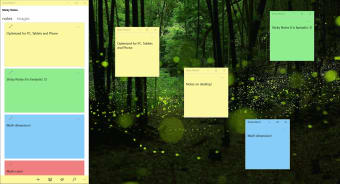
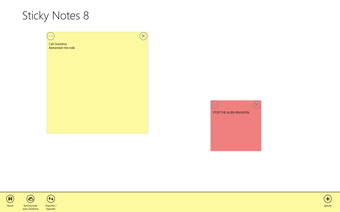
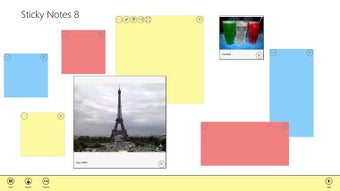
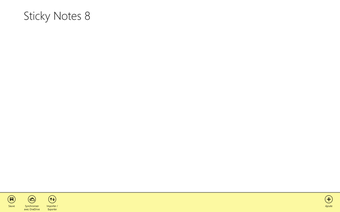
Sticky Notes 8 for Windows 10 allows users to create personal notes and reminders in a matter of seconds. These are written upon virtual "notepads" and they can be placed anywhere within the wallpaper of a screen. Notes can also be pinned from another application and it is possible to synchronize this information with the OneDrive platform. The papers come in a variety of colors and users are able to search all notes if they need to suddenly retrieve information. Please note that this program can be installed for free.

Additional Options and Details

Sticky Notes 8 for Windows 10 can be used on personal computers, mobile devices and the HoloLens VR headset. The total file size of this program is 19.88 megabytes and it was first released in 2012. Recent updates include the ability to work with OneDrive as well as the Windows 10 operating system.

  • Pros

    • Sticky Notes 8 is absolutely free to use.

    • A very handy and easy way to create timely reminders within mere seconds.
  • Cons

    • These notes can only be posted as live tiles within the start menu.
    • Some have noted that any shared notes appear as nothing more than links.
 0/4

App specs

  • License

    Free

  • Latest update

  • Platform

    Windows

  • OS

    Windows 10

  • Language

    English

    Available languages

    • German
    • English
    • Spanish
    • French
    • Italian
  • Downloads

    56.5K

    Last month's downloads

    • 18
  • Developer

Program available in other languages


User reviews about Sticky Notes 8 for Windows 10

Have you tried Sticky Notes 8 for Windows 10? Be the first to leave your opinion!

Add review

You may also like

Alternatives to Sticky Notes 8 for Windows 10

Explore Apps

Latest articles

Laws concerning the use of this software vary from country to country. We do not encourage or condone the use of this program if it is in violation of these laws.
Softonic

Is Sticky Notes 8 for Windows 10 safe?

100/100

Score result: Clean

This file passed a comprehensive security scan using VirusTotal technology. It is safe to download.

  • Virus free
  • Spyware free
  • Malware free
  • Verified by Security Partners

    VirusTotal logo

Scan Info

Last scan
Saturday, August 12, 2023
Scan provider
VirusTotal

Softonic security commitment

Sticky Notes 8 for Windows 10 has been thoroughly scanned by our advanced security systems and verified by industry-leading partners. This file comes from the official developer and has passed all our security checks, showing no signs of viruses, malware, or spyware. For more information, visit our Security and Trust Center